
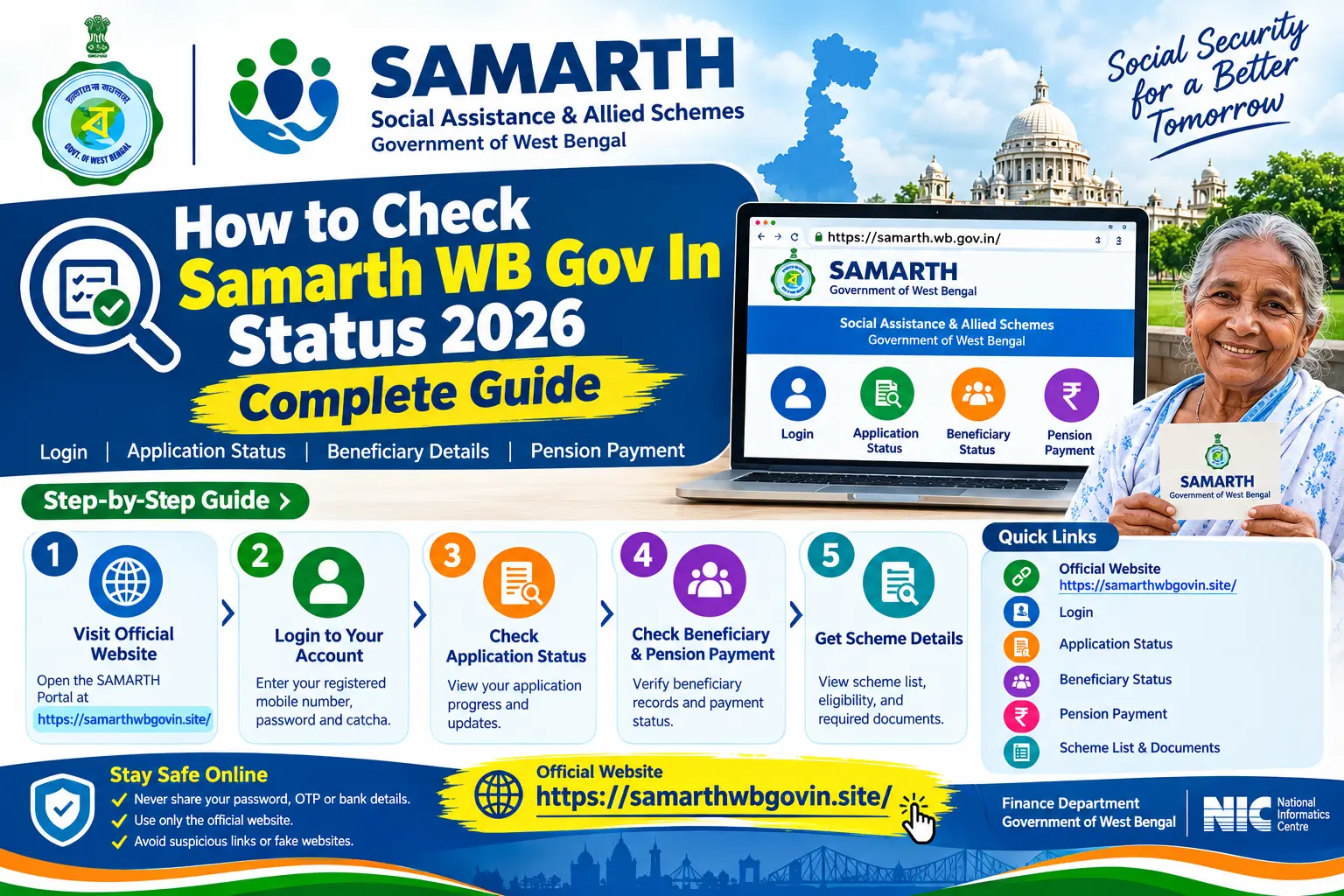
If you want to check your Samarth WB Gov In status, it is important to use the correct website and follow the latest instructions. The SAMARTH Portal West Bengal is associated with the state’s social pension schemes and related beneficiary information. Users may search for application status, beneficiary details, pension payment updates, and other scheme-related services.
This guide explains how to check Samarth status, what to do if your information is unavailable, and how to use the portal safely.
What Is Samarth WB Gov In Status?
Samarth WB Gov In status generally refers to information about an application, beneficiary record, or pension-related service connected with the SAMARTH system. The information available depends on the particular scheme and the services currently provided through the official portal.
The official SAMARTH Portal is available at https://samarthwbgovin.site/. Always verify the website address before entering personal information.
How to Check Samarth WB Gov In Status Online
Follow these general steps to look for your Samarth status:
- Visit the official SAMARTH Portal at https://samarth.wb.gov.in/.
- Review the available services and open the relevant login or status section.
- If login is required, enter your registered mobile number and other requested credentials.
- Complete the captcha or verification step, if displayed.
- Look for the relevant application, beneficiary, or pension information.
- Follow the instructions provided by the portal to review your available details.
The exact process may vary because online services and portal features can change. If a public status-check option is unavailable, do not assume that your application has been rejected.
How to Check Samarth Application Status
Samarth Application Status helps applicants understand the progress of a relevant scheme application, where such information is available online.
An application may involve submission, document verification, eligibility checks, and administrative processing. If your application is pending, keep your acknowledgement details safe and contact the appropriate government office if you need clarification.
Always follow the latest instructions for your specific scheme.
How to Check Samarth Pension Payment Status
If you are checking your Samarth pension payment status, review the information available through the official portal and check your bank transaction history.
Payment delays may relate to verification, incorrect information, banking issues, or administrative processing. If the payment has not arrived, contact the relevant government department or authorised local office for assistance.
Never share your OTP, ATM PIN, password, or internet banking credentials with anyone promising to release your pension.
What If Samarth Status Is Not Showing?
If your Samarth status is unavailable, try these troubleshooting steps:
- Verify the information you entered.
- Check that you are visiting the official website.
- Review the latest portal instructions.
- Try again later if a temporary technical issue occurs.
- Contact the appropriate government office if the problem continues.
A missing online record does not automatically mean rejection.
Conclusion
Checking Samarth WB Gov In status starts with visiting the official SAMARTH Portal and following its current instructions. Whether you need application details, beneficiary information, or pension payment updates, verify your information carefully and seek help from the relevant authority when necessary.